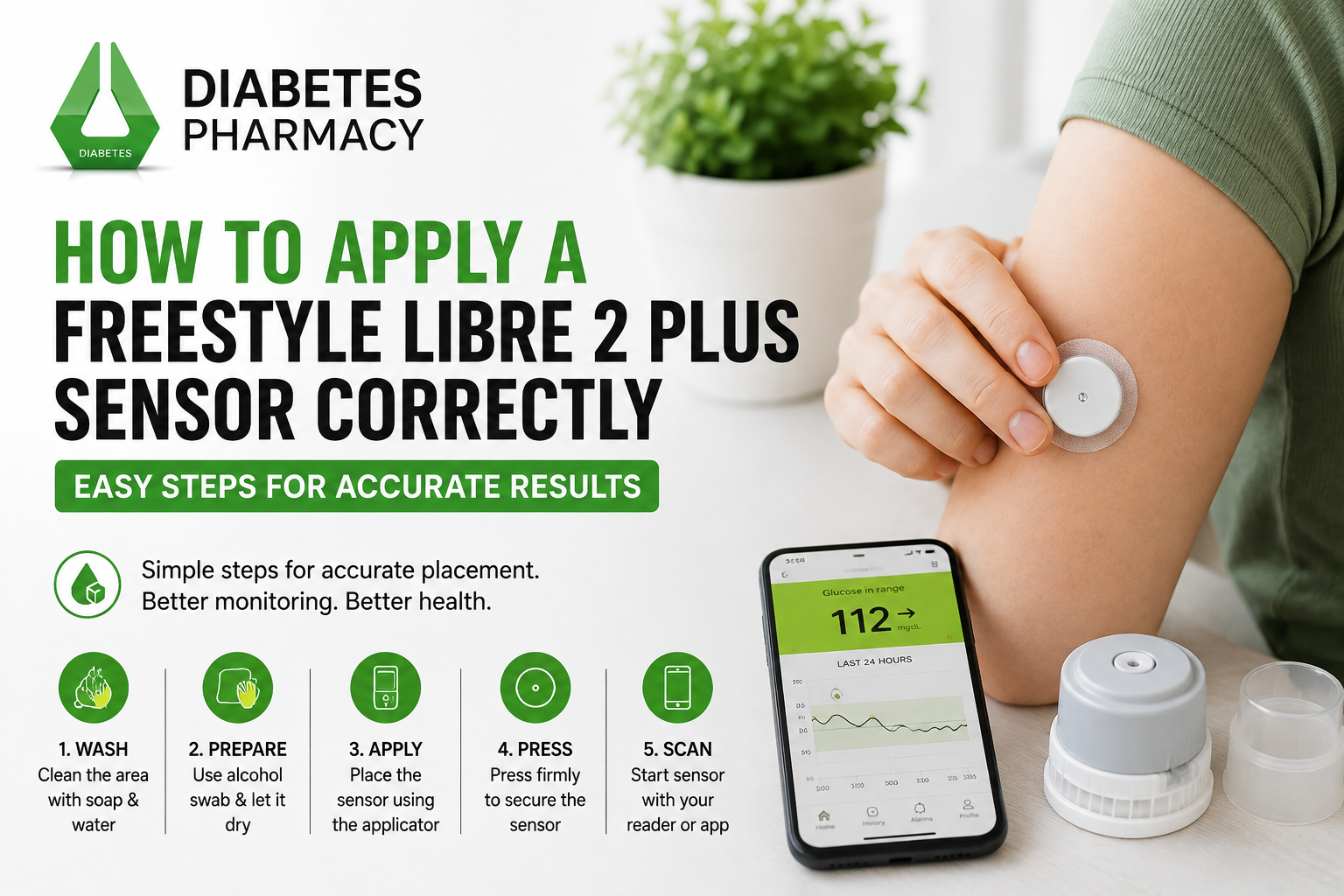
Applying a FreeStyle Libre 2 Plus sensor correctly can make glucose monitoring more comfortable. The sensor is designed for the back of the upper arm and can monitor glucose for up to 15 days. Before applying a new sensor, learn how to prepare your skin, use the applicator, start the sensor, and care for it afterwards. Follow the instructions supplied with your sensor carefully and speak with a healthcare professional if you are unsure.
What Is the FreeStyle Libre 2 Plus Sensor?
The FreeStyle Libre 2 Plus is a continuous glucose monitoring sensor that measures glucose in interstitial fluid. It works with compatible FreeStyle Libre systems, including the FreeStyle LibreLink app and Libre 2 reader. Abbott states that the sensor is designed for up to 15 days of wear and is applied to the back of the upper arm.
Before using your sensor, check the manufacturer’s instructions and make sure your smartphone or reader is compatible. The correct setup can help you start monitoring smoothly and understand when the sensor is ready to use.
Choose the Right Application Site
Start by selecting a suitable area on the back of your upper arm. Abbott recommends choosing a site that stays flat during normal activity. Avoid areas that are irritated, scarred, damaged, or otherwise unsuitable for sensor application.
It can also be helpful to rotate application areas between sensors so the skin has time to recover. Choose a location that feels comfortable and is less likely to be rubbed by clothing, bags, or frequent movement during the day
Clean and Prepare Your Skin
Skin preparation is an important part of sensor application. First, wash the selected area with non-moisturising, fragrance-free soap and water. Dry the skin thoroughly with a clean towel.
Next, use an alcohol wipe to clean the application area. Allow the skin to air dry completely before continuing. Do not apply the sensor while the skin is wet.
Avoid putting creams, lotions, oils, or moisturisers on the application area immediately before applying the sensor, because they may affect how well the adhesive sticks to the skin.
Prepare the Sensor Applicator
The FreeStyle Libre 2 Plus sensor uses an applicator designed to place the sensor on the back of the upper arm. Abbott’s UK instructions explain that you should open the sensor pack and remove the cap from the applicator.
For the applicable two-part preparation process, line up the dark marks on the sensor applicator and sensor pack. Press the applicator down firmly until it stops, then lift it from the pack. Do not replace the cap after preparation because it could damage the sensor.
Always use the instructions included with your particular product if they differ from general guidance.
Apply the Sensor
After preparing your skin and applicator, position the applicator over the selected area on the back of your upper arm. Press the applicator firmly against your skin.
You should hear a click when the sensor is applied. Wait for a few seconds, then slowly pull the applicator away from your arm, leaving the sensor attached to your skin.
Once the applicator has been removed, check that the sensor is secure. Avoid repeatedly pressing, moving, or attempting to reposition the sensor after application.
Keep the Sensor Secure
Once the sensor is attached, take care during normal activities. Avoid deliberately pulling, knocking, or scratching the sensor. Be careful when changing clothes because clothing can sometimes catch on the adhesive.
Exercise and sweating may affect how well an adhesive stays attached, particularly when there is repeated friction. If you use an additional adhesive patch, choose one designed for sensor use and follow its instructions.
Check the sensor regularly during everyday activities. If it becomes loose or falls off, follow the manufacturer’s support guidance instead of trying to reattach it yourself.
Common Application Mistakes to Avoid
Several simple mistakes can affect application. Applying a sensor to damp skin, using moisturiser immediately beforehand, or selecting irritated skin can reduce adhesion.
Another mistake is rushing the preparation process. Allowing the alcohol-cleaned skin to air dry completely gives you a better surface for application.
Do not touch the inside of the applicator or try to modify the sensor. Never reuse a sensor or applicator. If the sensor appears damaged before application, do not use it and contact the appropriate support service.
Why Choose Diabetes Pharmacy?
Choosing a reliable source for diabetes monitoring supplies can make managing your routine more convenient. Diabetes Pharmacy offers a range of diabetes care and monitoring products, including FreeStyle Libre 2 Plus and other diabetes essentials. The website also provides UK delivery and customer support to help customers find suitable products.
Conclusion
Applying a FreeStyle Libre 2 Plus sensor correctly involves choosing a suitable site, cleaning and drying the skin, preparing the applicator carefully, and pressing it firmly onto the back of the upper arm. Starting the sensor correctly and allowing the required warm-up period are also important.
Following the manufacturer’s instructions can make sensor application easier and more comfortable. If you need diabetes monitoring supplies or information about glucose monitoring products, a trusted Diabetes Pharmacy can help you explore suitable options for your routine.
Frequently Asked Questions
1. Where should I apply a FreeStyle Libre 2 Plus sensor?
The sensor should be applied to the back of the upper arm, using a suitable site that stays flat during normal activity and follows the manufacturer’s application guidance.
2. Should I clean my skin before applying the sensor?
Yes. Clean the area with non-moisturising, fragrance-free soap and water, then use an alcohol wipe and allow the skin to air dry completely before application.
3. How long does the FreeStyle Libre 2 Plus take to start?
The sensor has a one-hour warm-up period before it can be used to check glucose, according to Abbott’s UK guidance.
4. How long can a FreeStyle Libre 2 Plus sensor be worn?
The FreeStyle Libre 2 Plus sensor is designed to be worn for up to 15 days.
5. What should I do if my sensor falls off?
If the sensor falls off, follow Abbott’s support guidance rather than trying to reattach it yourself. Contact the manufacturer or your healthcare professional if you need further assistance.